Tuesday, 6 December 2011

The 2011 Top 7 Best Linux Distributions for You!


As Linux continues to re-define its role in the mobile and cloud sectors, there is still demand for using the operating system on "traditional" platforms like the personal desktop, the enterprise server, and even laptop devices. With so many Linux distributions available, which one is the best for each of these varied platforms?
Because of these platform differences, there never can be one best Linux distribution for everyone. Also, the needs of each user are unique. Telling someone who's looking for a good introductory distribution to try Gentoo, for instance, would be a mistake because for all its positive qualities, Gentoo is decidedly nota beginner's distro.
All too often, Linux users, when asked this question, will tend to list the distributions they like as the best, which is fair, but if they are not aware of their audience, they could suggest something that does not meet that person's needs. Finding a good Linux distribution is like finding a good match in an online dating service: good looks aren't the only quality upon which to judge a Linux distro.
To help users discover the Linux distribution that's best for them, this resource, now updated for mid-2011, will definitively list the best candidates for the various types of Linux users to try. The use-case categories will be:
  • Best Desktop Distribution
  • Best Laptop Distribution
  • Best Enterprise Desktop
  • Best Enterprise Server
  • Best LiveCD
  • Best Security-Enhanced Distribution
  • Best Multimedia Distribution
Once you find the best Linux distribution for your needs, you can visit our Linux Migration Guides to assist you in installing and using the one you'd like to try.

Best Linux Desktop Distribution

In recent years, the best Linux desktop distribution has been one of the Ubuntu flavors from Canonical, or perhaps Linux Mint, which is also based on Ubuntu. This year, though, Fedora tops the list as best desktop distribution.
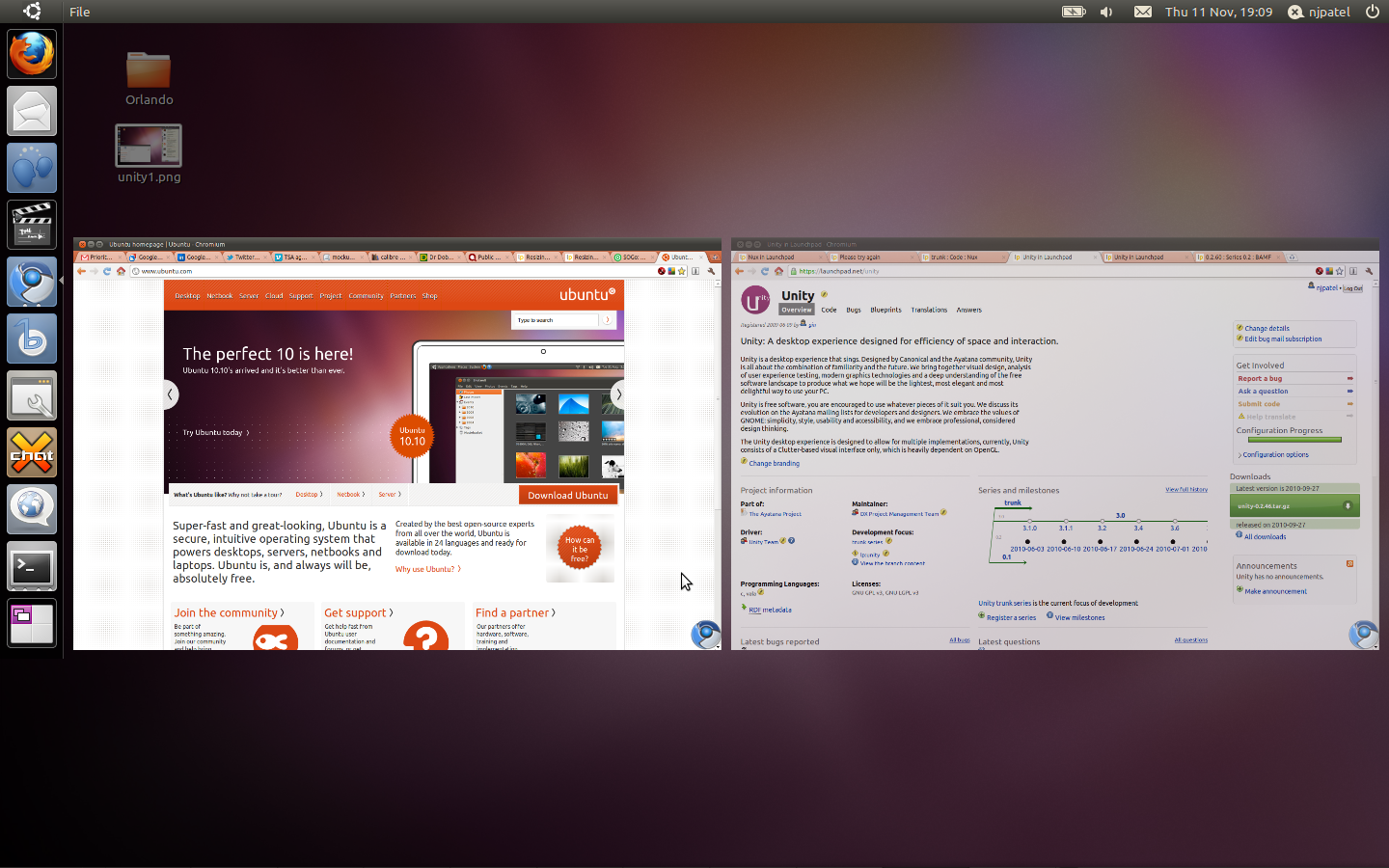
The reason is two-fold. First, there's the problem with the Unity desktop, the GNOME shell interface that Ubuntu ships with by default. Unity has a lot going for it, and the interface team at Canonical should be applauded for their efforts thus far. But when comparing Unity with the GNOME 3 shell that ships with Fedora 15, we have to give the slight advantage to Fedora. (And it's really a tight call, since GNOME 3 can be supported on Ubuntu, but not Unity on Fedora.)
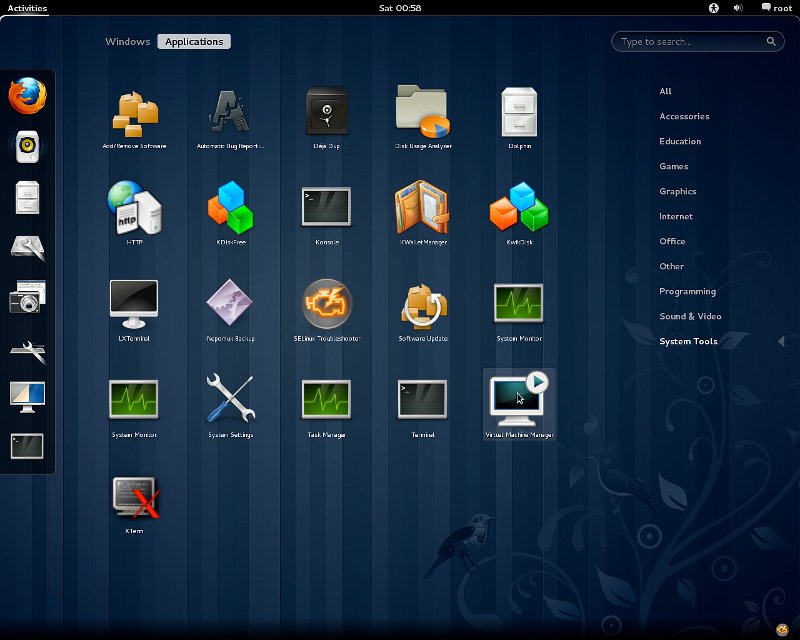
That's where the other Fedora advantage comes in: apps. Fedora, which is based on Red Hat Enterprise Linux, has a somewhate broader range of business-oriented applications, which makes it suitable for personal and business use, too. It doesn't have to be enterprise-ready, that's another category, but the fact that Fedora can easily stretch into a business desktop role is a big plus for small businesses and non-profits who need a solid, well-put-together desktop machine.

Best Linux Laptop Distribution

With the decision so tight between Fedora and Ubuntu for the desktop distribution category, you might think naming Ubuntu as the best laptop distro might be throwing Ubuntu a bone. That is far from being the case, and there's two words that describe why Ubuntu ranks the best in this category:
Ubuntu One.

This built-in cloud file and music service is available on all versions of Ubuntu, so it's certainly an asset over on desktop machines, too. But Ubuntu One's real advantage shines through on mobile platforms. The capability of accessing 5 Gb of free storage space is a great online tool. Add a $3.99/month and you get the Ubuntu One Music Streaming service and an extra 20 Gb of storage. The fact that Ubuntu One has a Windows and an Android client (with an OS X client supposedly on the way) is a high mark in its favor as well.
Ubuntu has also improved its laptop toolset. The problems Ubuntu's power management systems had that kept it out of the top spot for this category last year have been cleared up and are pretty much bug free on most devices. And the Unity desktop shell, while it's no GNOME 3, is well-suited for the wide aspect ratio screens found on so many of today's laptops.
With all of these features and more, Ubuntu holds a clear advantage on laptop devices.

Best Linux Enterprise Desktop

Last year, SUSE Linux Enterprise Desktop grabbed top honors for Best Linux Enterprise Desktop, and there seems to be no reason to change that call in 2011.
The reason is simple: while SLED and its primary competitor Red Hat Enterprise Linux Desktop are nearly identical in features and support performance, SLED still has the advantage of theopenSUSE Build Service, a free and open service that lets applications be built and delivered to SUSE Linux and openSUSE products (as well as Red Hat and CentOS).
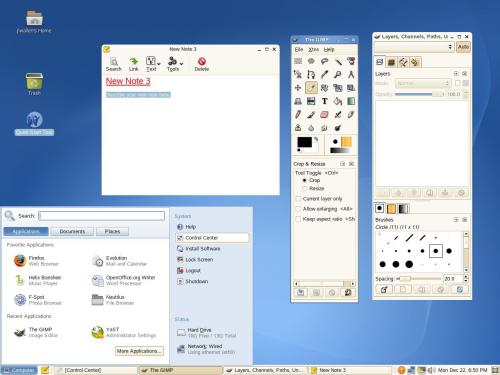
This is a key differentiator in enterprise desktop development, as it means that SLED has the current advantage of application building and deployment in the enterprise arena.

Best Linux Enterprise Server

As in 2010, this category really comes down to two main contenders: Red Hat Enterprise Linux (RHEL) and SUSE Linux Enterprise Server (SLES). Given the pick for the Enterprise Desktop category, you might expect SLES to get the "best of" label here.
But, this year as in last, RHEL is still the king of this particular hill. The release of RHEL 6 in November 2010 pretty much sealed this deal.
Red Hat edges out Attachmate with its server product, because RHEL users get a deeply mature distribution, and Red Hat's support structure is second to none in the enterprise channels.
Also, because of Red Hat's strong partnerships, there are a lot of enterprise-class apps available on RHEL. Red Hat's support of the KVM virtualization technology, which has been embedded in the Linux kernel for quite a while now, makes it a very easy server to deploy in datacenters and in the cloud as well.

Best Linux LiveCD

At this point in the Linux maturirty model, users can easily choose the LiveCD version of practically any of the Linux distros listed here to get the best LiveCD experience for their needs.
There is a specialized class of LiveCDs, however, that offers users utilities and tools for the specific purpose of repairing existing Linux and Windows installations. These distros are very useful to have regardless of what primary Linux distribution you like to use, because in a crisis they are invaluable to own.
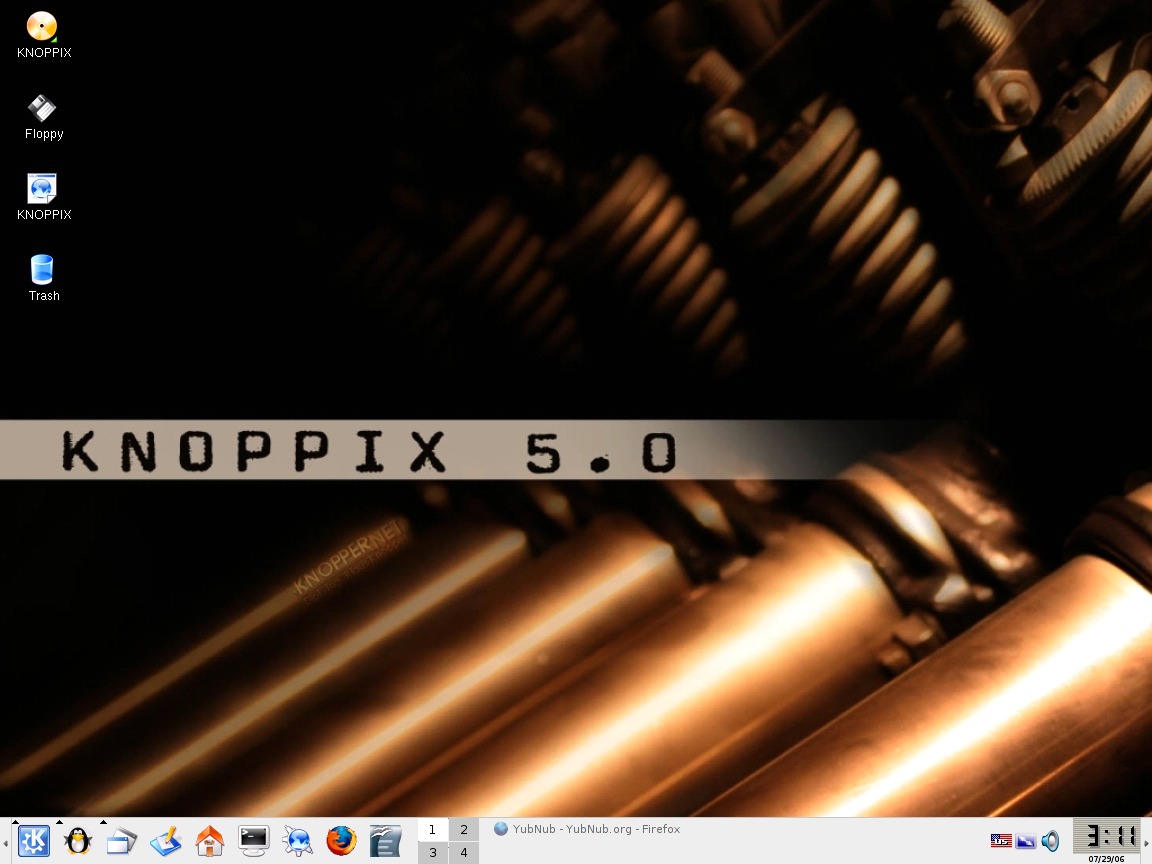
In this class of distribution, KNOPPIX is still hands-down the most complete and useful distro. Loaded on a CD or USB storage device, KNOPPIX will let you recover from nearly any rare Linux system crash as well as the much-less-rare Windows breakdowns.

Best Linux Security-Enhanced Distribution

Linux is inherently very secure compared to other operating systems, but there's always room for improvement.
One of the challenges for locking down Linux is if you are not careful, you can take away too much functionality. Another challenge is that the best security-oriented Linux distro, SELinux, is historically known to be difficult to configure correctly. Still, if security out of the box is your priority, this is the best place to begin.
Another approach to security is the white hat method: using security and forensic tools to examine your existing installation, determine the holes, then lock your system down based on what gaps you find. If you have the time and inclination, this is a great way to do it, because this will get any existing system more secure right away.
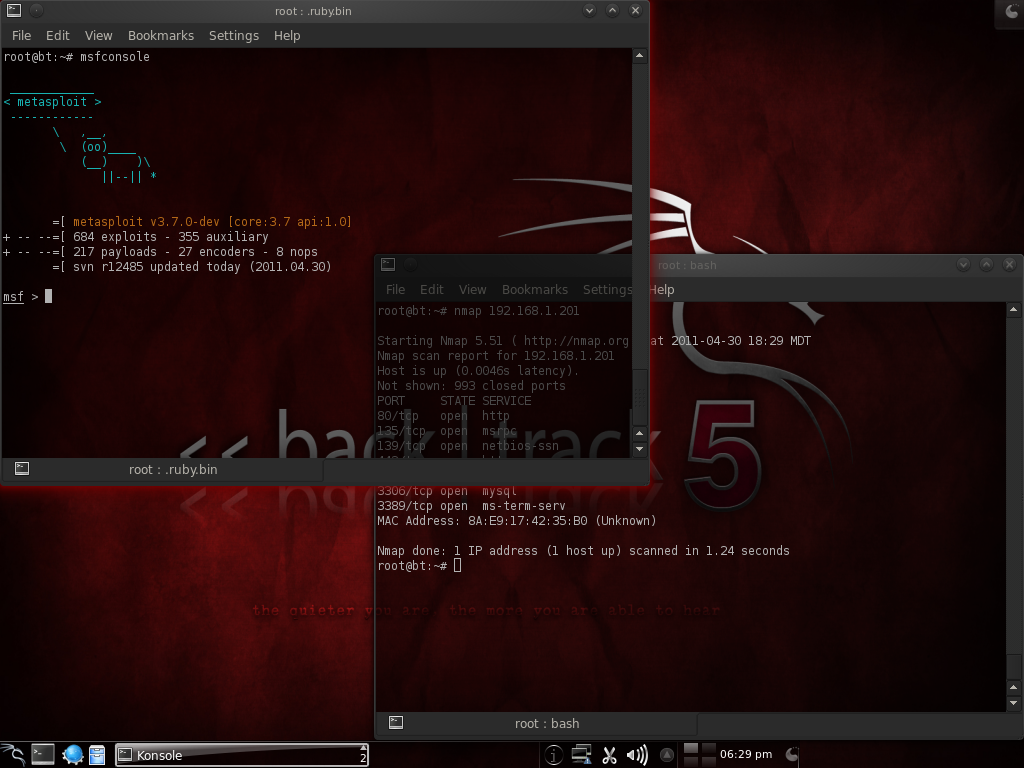
For the white hat approach, the best distribution is still awarded toBackTrack Linux, a dedicated penetration-testing distro that will enable you to safely try to crack any system you are caretaking. Its toolset and strong community gives it the advantage in this category.

Best Linux Multimedia Distribution

General Linux distributions have come a long way in terms of multimedia performance. Rare is the audio or video file that can't be played on Linux. Music services such as Rhapsody and video sites like YouTube and Hulu are also standards-compliant and accessible to Linux users.
Still, for those users who are multimedia creators as well as consumers, there are Linux distributions that contain powerful tools for audio and video editing.
The best in this class is currently Ubuntu Studio. For audio, video, and graphic production, it contains a very complete set of tools, as well as format and codec support for a huge range of multimedia formats.
Ubuntu Studio has it all: multiple multimedia editing tools, as well as graphics and image editors. TheFedora Design Suite spin, as a counter-example, only has the graphics tools on board.
In Linux, there are as many opinions as there are lines of code. This represents one view of the best in Linux for 2011. What's yours?

source:www.linux.com

We will turn your normal desktop into a powerful Linux Enterprise Box for as little as Kshs. 10,000!

You are viewing this page because you are looking for low cost, reliable but Open Solutions.

Get a complete range of GNU / Linux services and solutions, from simple Mail server installations, complex Firewall & VPN setup to complex web server setup and management.. 

A cheap but yet powerful alternative to windows MS-EXCHANGE or M-Daemon!


What can a GNU / Linux Office Server do for your business? GNU / Linux Office Server can do the following:
  • Handle all your company's incoming and outgoing email
  • Scan all email for viruses and spam
  • Store all your documents, spreadsheets, presentations, etc
  • Be monitored 24hrs a day to ensure optimal operation
  • Carry out an automatic data backup every night, stored off-site
  • Be full remotely managed.
  • Let you access email from anywhere.
  • Check usernames and passwords before allowing access to company data
  • Provide internal web pages
  • Monitor how much email users are sending, and to whom
  • Monitor who is accessing which websites, and restrict access through powerful proxies..
  • Low Cost:

    NO expensive server software licenses to buy or renew. The service includes all required software, and is tailored to fit into your existing network and work with your existing desktop PCs.
     
  • Reliability:
    Your GNU / Linux Office Server can be monitored 24 hours a day, and our Support Staff automatically alerted to any potential problem.
     
  • Efficiency:
    All email is scanned for viruses and spam (unsolicited email), keeping these disruptive annoyances out of the workplace. Online diaries for every employee, and facilities for online internal discussion forums and online company documentation are all part of the service.
     
  • Controlled Cost: 
    Fixed costs that are known in advance. See who is accessing which websites and when, and who is sending mails to whom, helping you to control the use of your company's computing investment.
     
  • Value for Your money:
    The modest hardware requirements of GNU / Linux coupled with the lack of licensing fees means high performance and excellent value for your money.

Contacts: 0729 798 145
E-mail: davwan08@gmail.com

Thursday, 1 December 2011

Ever wondered what country has the fastest internet in the world? And if you guessed the US, well....you guessed wrong!


Which county has the world’s fastest Internet service? How about South Korea. That’s according to a new study from content delivery service Pando Networks that sampled some 35 petabytes of data from 27 million downloads and 224 countries. The service found that South Korea is top in the world in terms of download speed, averaging 17.62 Mbps.

Romania has the second fastest Internet speeds on the planet, clocking in at 15.27 Mbps, and a trio of Eastern European countries round out the top five, Bulgaria, Lithuania and Latvia. The United States musters a very pedestrian 4.93 Mbps — good for 26th in the world — while China, home to the world’s largest Internet population, manages a dismal 1.96 Mbps.
The slowest Internet, according to the study, is in the Congo, with an average of just 13 KBps, a speed that would make even a 1990s dial-up Internet user cringe. Most of the world’s slowest countries on Pando’s list are located in Africa, where broadband access is sparse and mobile is often the most prevalent point of access for users. However, we suspect that the data from some countries may have suffered from too small a sample size for an accurate reading.
If you want the fastest Internet in the United States, head to Andover, Mass., the only American city to crack the top 10. Andover residents are downloading at a very speedy average of 22.41 Mbps. That pales in comparison to speeds in Seocho, South Korea, though, the fastest city on Earth at 33.5 Mbps.
Pando also sliced up the data by ISP, gathering data on 18,017 of them. The fastest in the U.S. is Verizon Internet Services, which offers users average downloads that are 153 Kilobytes per second faster than the next closest ISP on the list (Comcast). Those speeds are still almost five times slower the average connection offered by Dacom Corp. in South Korea, which takes the cake as the world’s fastest ISP by average download speed.

Tuesday, 29 November 2011

Have you ever wondered just how Password encryption works? Did you know that it would take the fastest supercomputers in the world significantly longer than the age of the universe to crack a 128-bit key!!


It would take significantly longer than the age of the universe to crack a 128-bit key!
SSL uses public-key encryption to exchange a session key between the client and server; this session key is used to encrypt the http transaction (both request and response). Each transaction uses a different session key so that even if someone did manage to decrypt a transaction, that would not mean that they would have found the server's secret key; if they wanted to decrypt another transaction, they'd need to spend as much time and effort on the second transaction as they did on the first.  Of course, they would have first have to have figured out some method of intercepting the transaction data in the first place, which is in itself extremely difficult.
        Servers and browsers do encryption ranging from a 40-bit secret key to a 128-bit secret key, that is to say '2 to the 40th power' or '2 to the 128th power'.  Many people have heard that 40-bit is insecure and that you need 128-bit to keep your credit card info safe.  They feel that using a 40-bit key is insecure because it's vulnerable to a "brute force" attack (basically trying each of the 2^40 possible keys until you find the one that decrypts the message). 
       This was in fact demonstrated when a French researcher used a network of fast workstations to crack a 40-bit encrypted message in a little over a week.  Of course, even this 'vulnerability' is not really applicable to applications like an online credit card transaction, since the transaction is completed in a few moments.  If a network of fast computers takes a week to crack a 40-bit key, you'd be completed your transaction and long gone before the hacker even got started.  
It would be significantly easier to tap your phone, or to intercept your mail to acquire your credit card number than to somehow intercept and decode Internet Data.


Of course, using a 128-bit key eliminates any problem at all because there are 2^128 instead of 2^40 possible keys.  Using the same method (a networked of fast workstations) to crack a message encrypted with such a key would take significantly longer than the age of the universe using conventional technology.   Remember that 128-bit is not just 'three times' as powerful as 40-bit encryption.  2^128 is 'two times two, times two, times two...' with 128 two's.   That is two, doubled on itself 128 times.  2^40 is already a HUGE number, about a trillion (that's a million, million!).   Therefor 2^128 is that number (a trillion), doubled over and over on itself another 88 times.   Again, it would take significantly longer than the age of the universe to crack a 128-bit key.


Key Size
Possible Key Combinations
2-bit2^22x2= 4                                
3-bit2^32x2x2= 8
4-bit2^42x2x2x2= 16
5-bit2^52x2x2x2x2= 32                         
6-bit2^62x2x2x2x2x2= 64
7-bit2^72x2x2x2x2x2x2= 128
8-bit2^82x2x2x2x2x2x2x2= 256
9-bit2^92x2x2x2x2x2x2x2x2= 512
10-bit2^102x2x2x2x2x2x2x2x2x2= 1024
11-bit2^112x2x2x2x2x2x2x2x2x2...= 2048
12-bit2^122x2x2x2x2x2x2x2x2x2...= 4096
16-bit2^162x2x2x2x2x2x2x2x2x2...= 65536
24-bit2^242x2x2x2x2x2x2x2x2x2...= 16.7 million
30-bit2^302x2x2x2x2x2x2x2x2x2...= 1 billion (1,073,741,800)
40-bit2^402x2x2x2x2x2x2x2x2x2...= 1 trillion (1,097,728,000,000)
56-bit2^562x2x2x2x2x2x2x2x2x2....= 72 thousand quadrillion (71,892,000,000,000,000)
128-bit2^1282 multiplied by 2
128 times over.
= 339,000,000,000,000,000,000,000,000,000,000,000
   (give or take a couple trillion...)


Doing the math, you can see that using the same method that was used to break 40-bit encryption in a week, it would take about 72 million weeks (about 1.4 million years) to even break '56-bit medium' encryption and significantly longer than the age of the universe to crack a 128-bit key.  Of course the argument is that computers will keep getting faster, about doubling in power every 18 months.  That is true, but even when computers are a million times faster than they are now (about 20 years from now if they double in speed every year), it would then still take about 6 thousand, trillion years, which is about a million times longer than the Earth has been around.  Plus, simply upgrading to 129-bit encryption would take twice as long, and 130-bit would take twice as long again.  As you can see, it's far easier for the encryption to keep well ahead of the technology in this case.  Simply put, 128-bit encryption is totally secure.


source:inet200.com

Monday, 28 November 2011

Facebook IPO coming next spring?


Facebook is reportedly working on a plan to bring us the most anticipated public offering since Google's as early as next spring.
The social-networking giant is in internal discussions over when to file its IPO papers with the Securities and Exchange Commission, people familiar with the matter told The Wall Street Journal. The filing reportedly could occur as early as this year, with shares making their debut on the market between April and June 2012.
The company is considering a $10 billion offering that would value the social network at more than $100 billion, but Facebook CEO Mark Zuckerberg has not made any final decisions regarding the size and date of the IPO, the Journal reports.
Facebook representatives declined to comment on the report.
Speculation about a Facebook IPO began in 2009 when it modified its stock structure to make a public filing easier. However, not long after rumors began circulating that the company would go public this year, a Bloomberg report claimed Facebook wasn't even considering the possibility of an IPO until 2012 at the earliest. And just this month Business Insider suggested an IPO filing may hit the wires soon, possibly in January.
The social network may not have much of a choice about whether it wants to go public. A clause in the 1934 Securities and Exchange Act requires private companies to release quarterly financial data when they have 500 or more owners--a milestone Facebook was expected to pass this year. In January, when Facebook and Goldman Sachs struck a deal to raise $500 million, the social network said it "expected to pass 500 shareholders at some point in 2011, and therefore expects to start filing public financial reports no later than April 30, 2012."
A $100 billion valuation would make Facebook one of the most valuable tech companies. Although far behind the tech leader Apple's current valuation of $362 billion, Facebook would trump tech veterans Cisco Systems' $96 billion and Hewlett-Packard's $52 billion.
The report comes as the tech IPO market has been experiencing a thaw of sorts. Daily-deals provider Groupon went public earlier this month and closed up 30 percent the first day (although its share price has since settled back to its IPO price). Zynga is expected to go public any day with a $1 billion offering that would value the social-gaming company at more than $10 billion.

Monday, 14 November 2011

Our Networks Fiber Ready Buildings!

          If you happen to reside in or have an office in any of the following buildings within Nairobi-Kenya, then your lucky enough to have a fiber switch cabinet already installed in it. What this means is you can get super-fast internet connectivity backhauled on a fiber backbone at a subsidized rate.

          Contact the following for further details:

Cell: 0729 798 145.
E-mail: davwan08@gmail.com
Click Here to View Our Fiber Ready Buildings.


Hello!

Welcome all to my new blog spot!